Updating Tool Firmware
Updating Tool Firmware
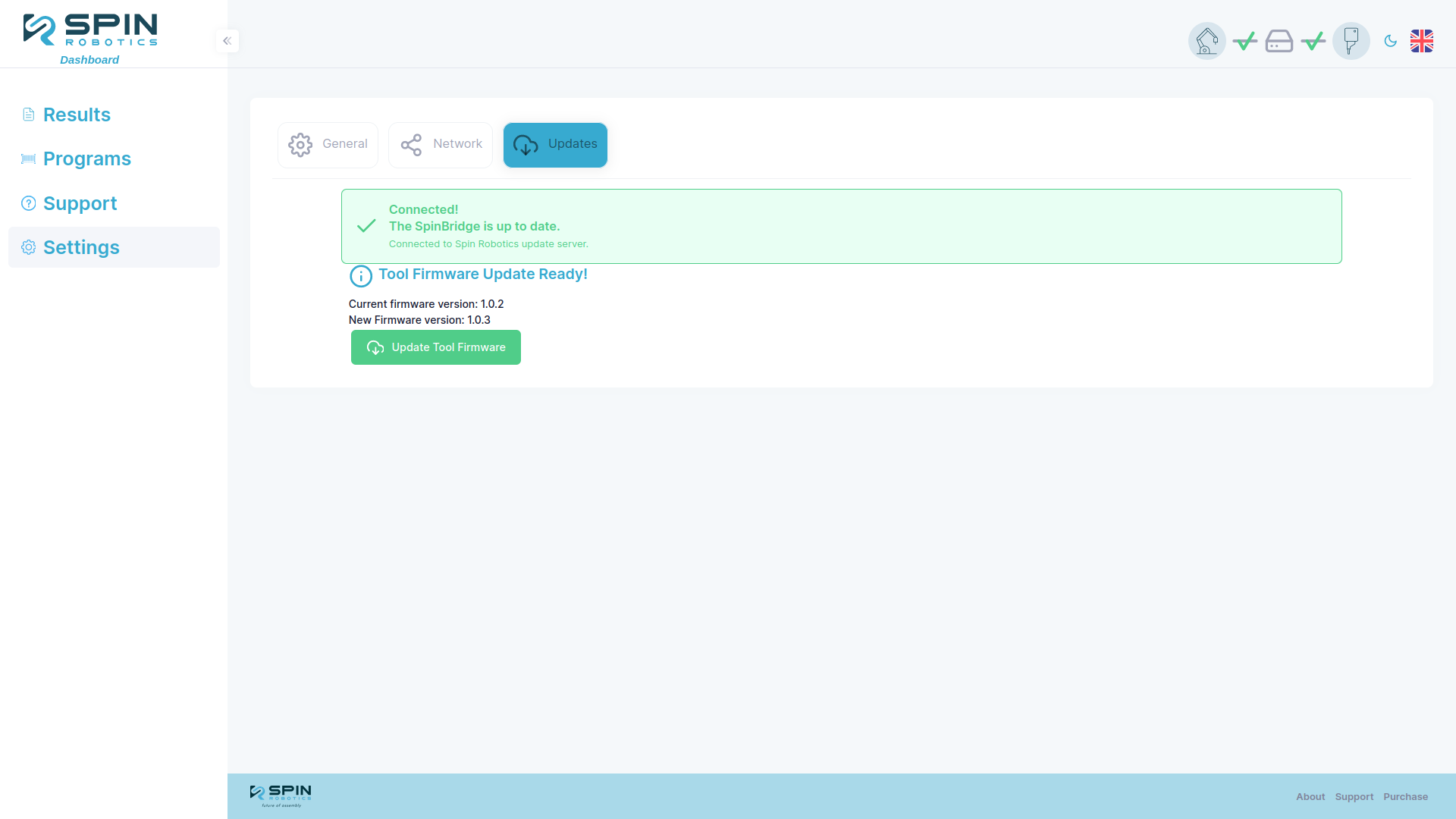
When connected to a tool with outdated firmware, the Setting/Updates page will display a Firmware Update Available message. Click the Update tool firmware button to begin the update process.
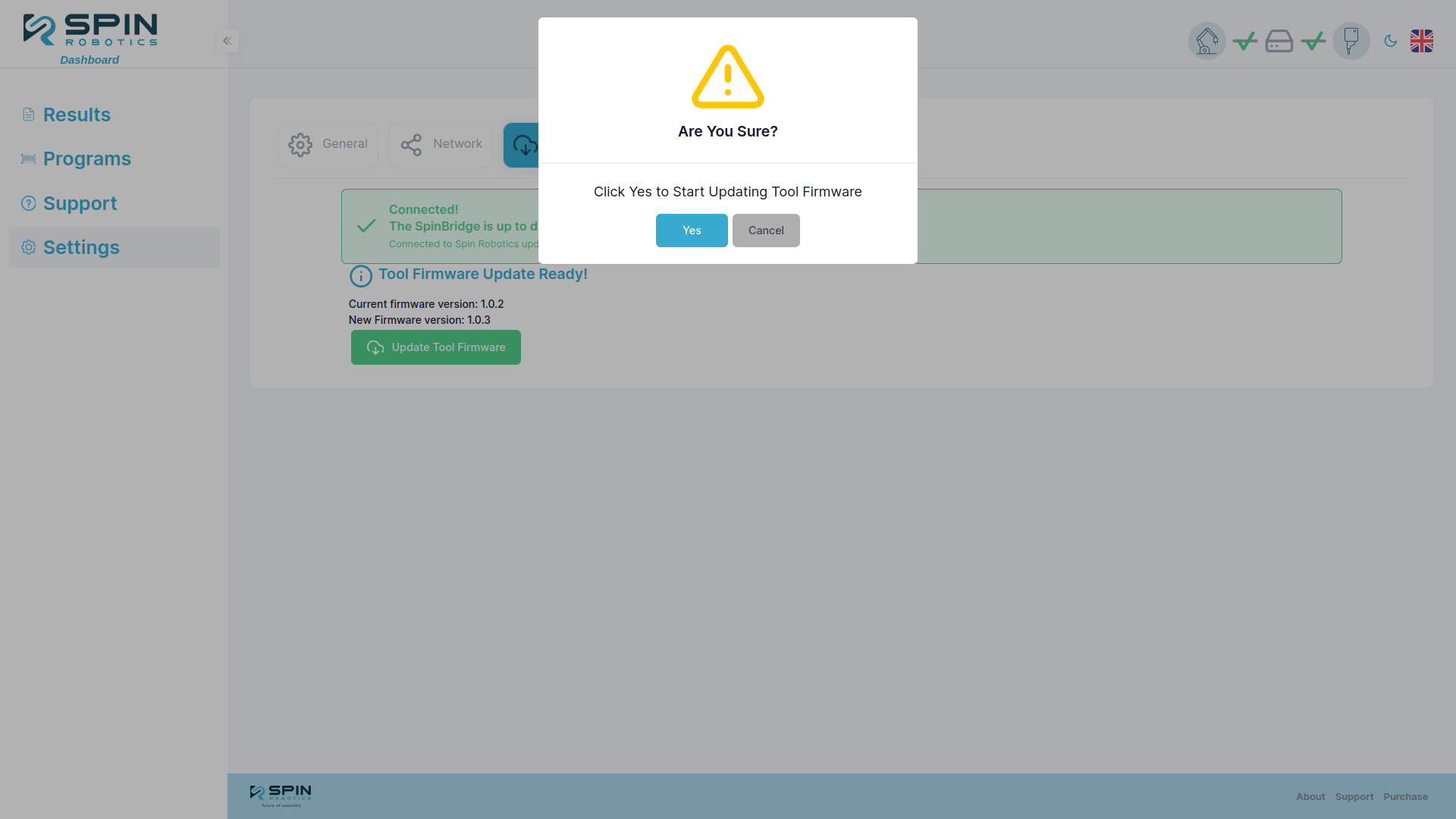
Then confirm the update by clicking the Yes button.
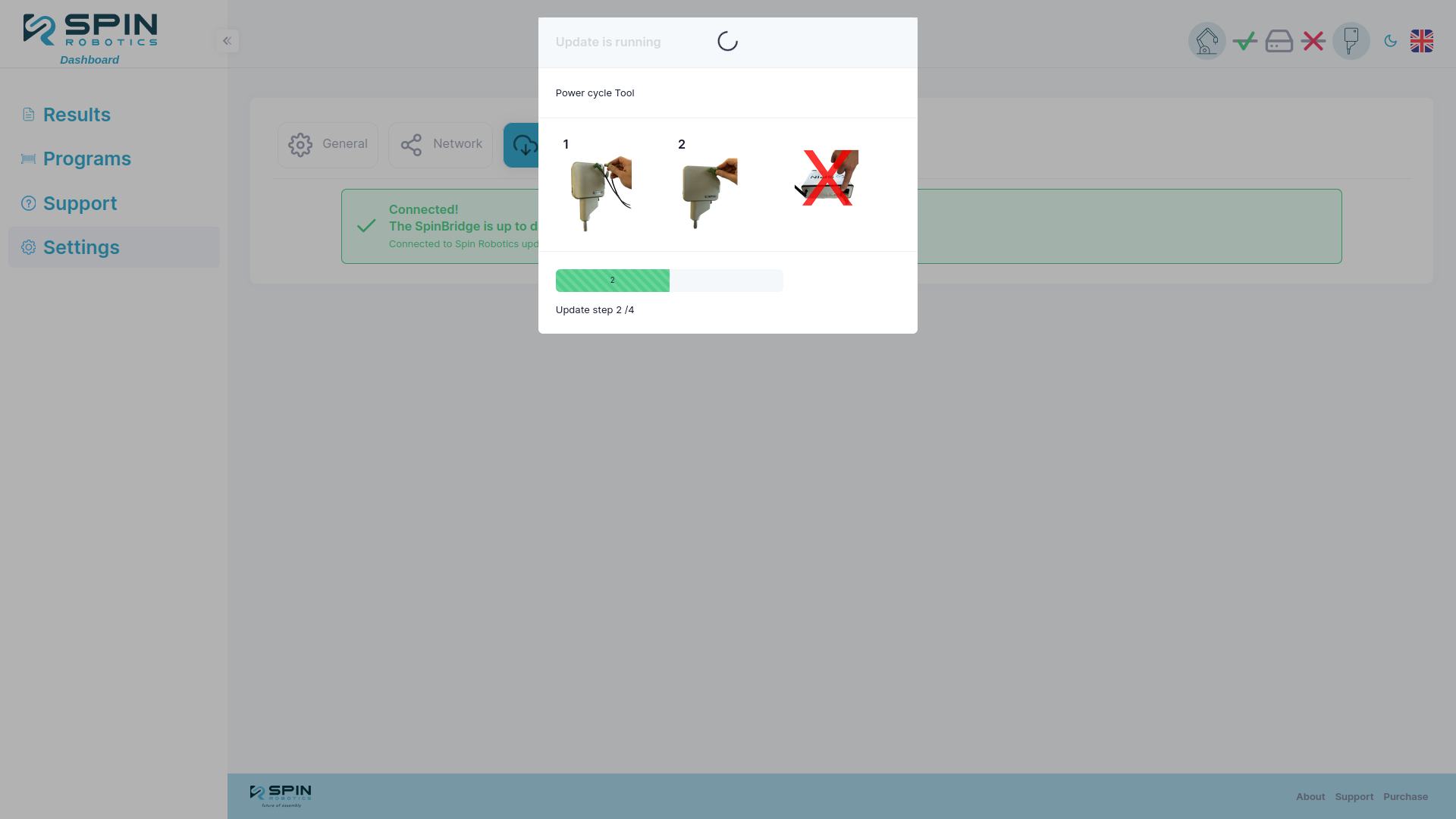
During the update you may be prompted to power cycle the tool. If so, unplug the cable from the tool and plug it back in. The update will resume automatically, but the power promt will remain on the screen until the next step is completed. Do not unplug the Spin Bridge.
# Once the update is complete, the tool will automatically reboot and you can close the update window.
Note
If the update fails, you will have a pending update that you can restart when the same tool is connected again.