Loading Screws
This program node is used to load screws from a screw feeder. When run the robot will move to the screw feeder and pick up the screw.
Note
This program node can be used with any screw feeder that presents the screw in a fixed position.
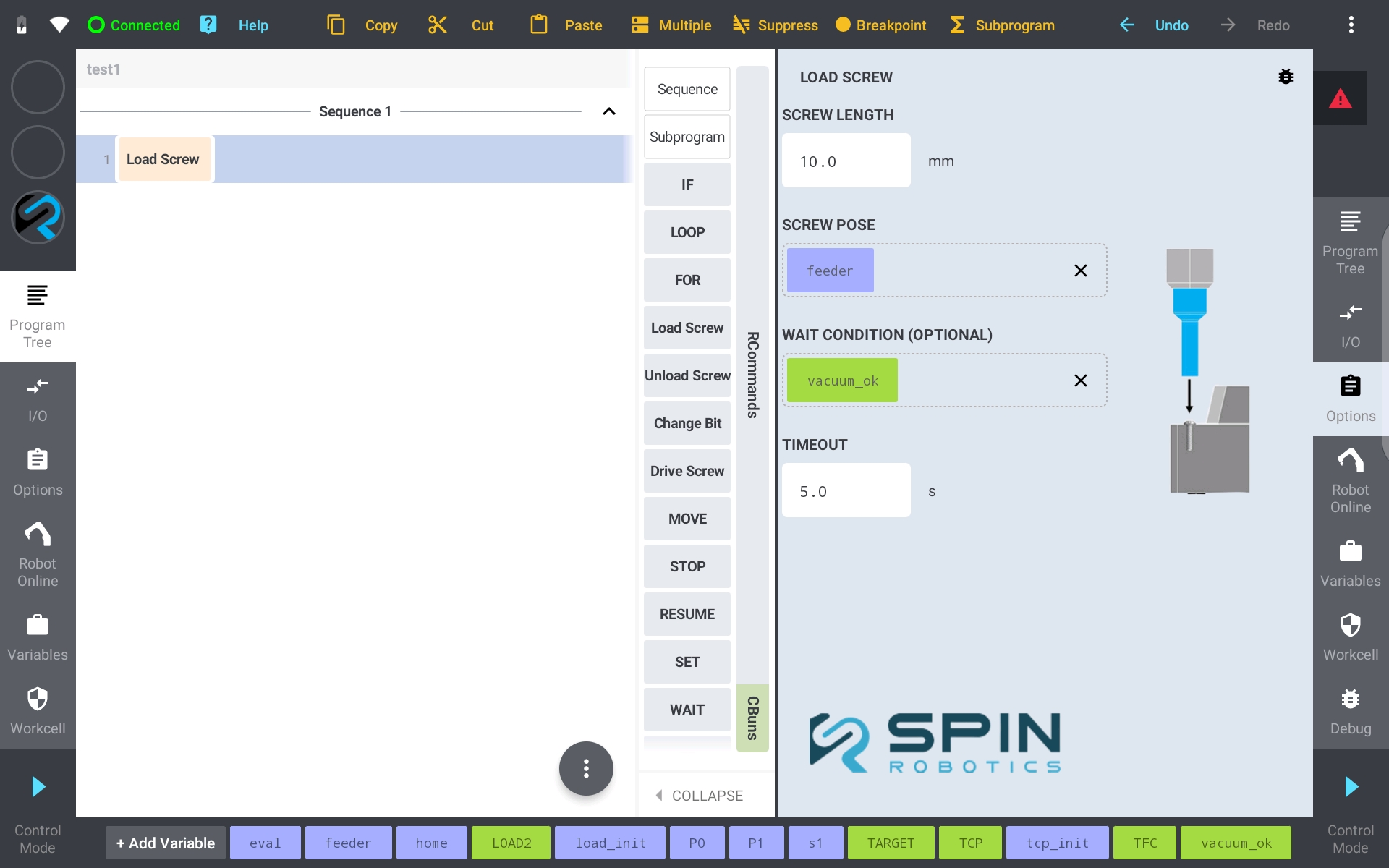
From the Commands panel drag and drop the Load Screw program command to the program tree.
Enter the length of the screw.
Teach the pose of the screw in the feeder. Save the pose in a variable and drag and drop the variable to the Screw Pose field. See Teaching a Position.
Optionally, set a numeric variable in the Wait Condition field. When configured, the robot will wait in the Screw Pose until the variable becomes non-zero before moving up with the screw. This is useful when a vacuum system needs time to build up vacuum.
Set the Timeout value (in seconds) to limit how long the robot waits. If the condition is not met within the timeout, the program will raise an error.
With vacuum, the vacuum itself is switched on by your program through a robot output, and the vacuum sensor is wired as described in Installing and Configuring a Vacuum System. If the vacuum is lost after pickup, the screw can fall before it reaches the hole; the program should detect this and stop the cycle.