Automatic Bit Changing
The Attach Bit and Detach Bit program nodes are used to change the screwdriving bit in runtime. The Bit Changing Station must be set up in the installation before you can use these nodes. Please refer to Bit Changing Station for setup.
Attach Bit
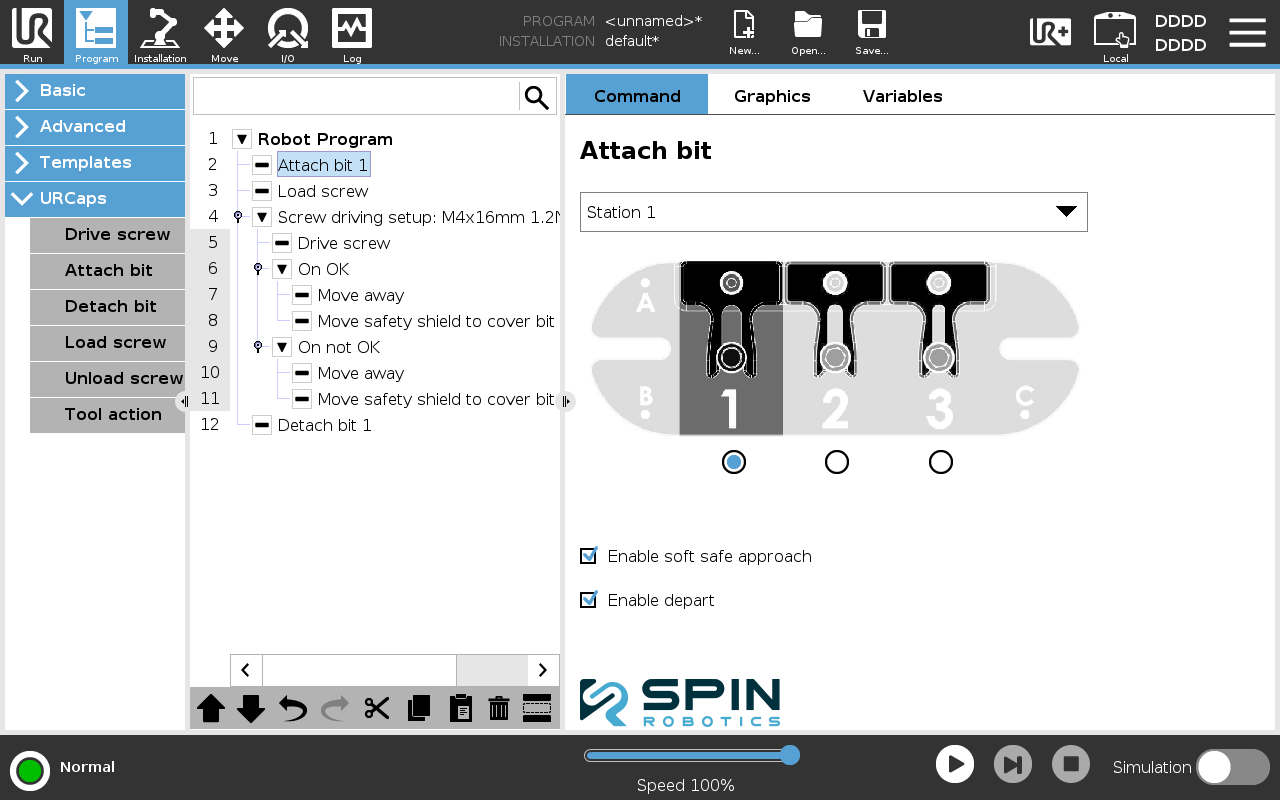
From Program/URCaps select an Attach bit program node.
Select the Bit Changing Station you want to use from the drop down list.
Select the bit number you want to attach.
Detach Bit
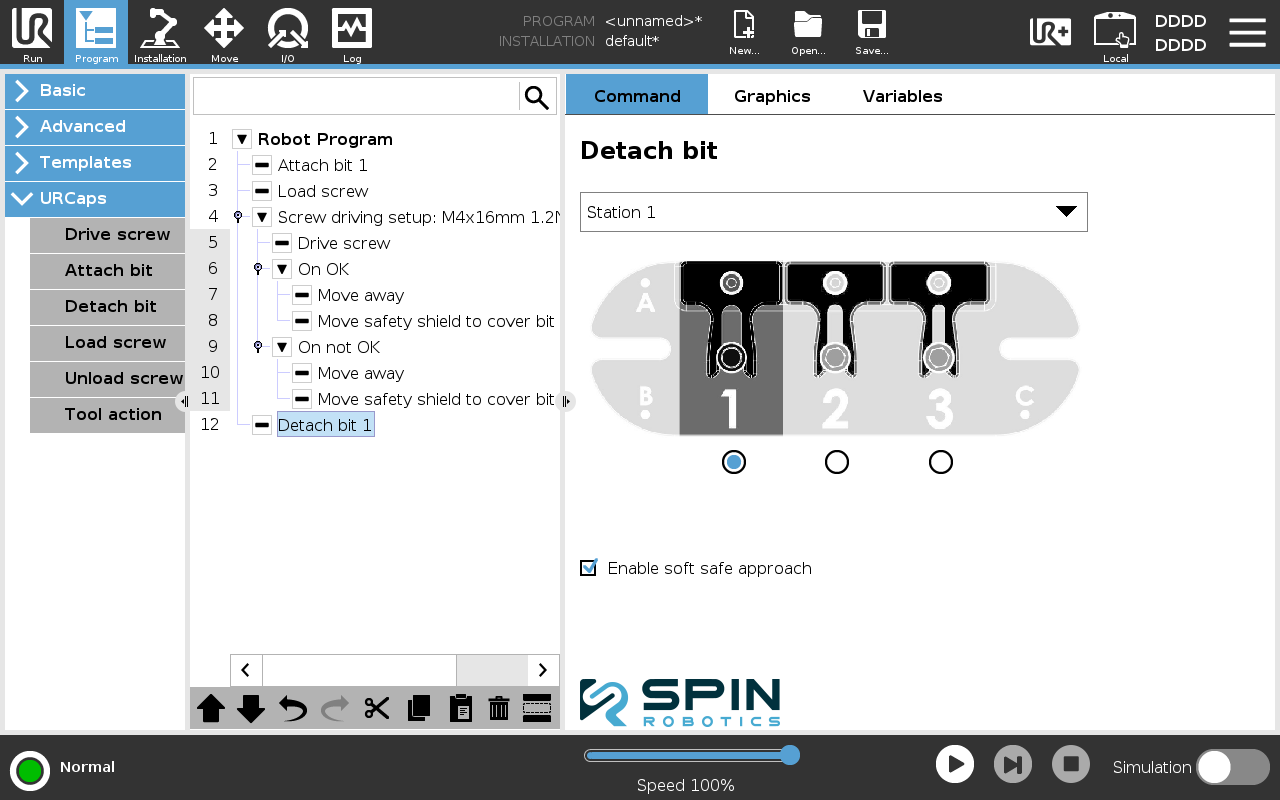
From Program/URCaps select an Detach bit program node.
Select the Bit Changing Station you want to use from the drop down list.
Select the bit number you want to detach.
Bit Changing Options
Enable soft safe approach. Uncheck this option if, e.g., you want to optimize the movement to the Bit Changing Station. You must then program the movement of the robot to the Bit Changing Station yourself.
Enable depart. Uncheck this if, e.g., you want to optimize the movement from Bit Changing Station. You must then program the movement of the robot from the Bit Changing Station yourself. This option is only available for the Attach Bit node.
Warning
With soft safe approach disabled, the robot moves to the Bit Changing Station without the slow approach that stops and backs off when it detects a collision. See safety info.