Tool Calibration
Calibrating the Tool
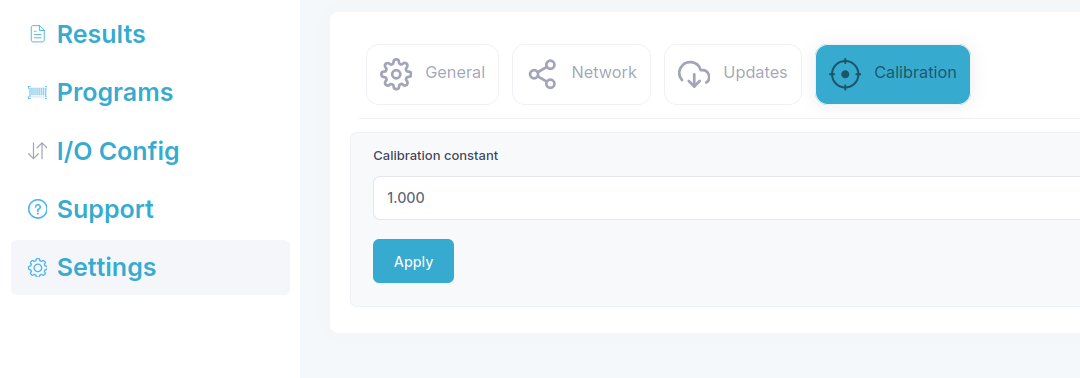
Connect the tool to the bridge. If the tool supports calibration, the Settings/Calibration page will be available.
On the Settings/Calibration page enter a new value for the calibration constant and click Apply.
Power cycle the tool by disconnecting and reconnecting the cables.
The new calibration constant is now displayed in the tool info section on the Settings/General page.
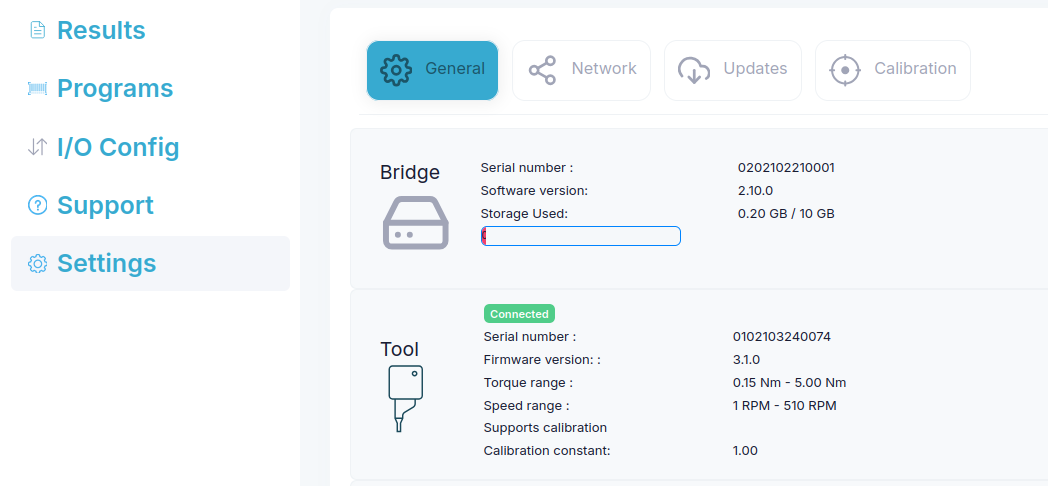
Calibration constant
The calibration constant is a scaling factor that is applied to the torque indicated by the tool, i.e. if the calibration constant is set to 0.9, the torque reported by the tool will be 10 % lower.
How to use this? Consider an application where a screw must be tightened to 3.0 Nm. Independent measurement show that the screw is actually thightened to 3.15 Nm. The calibration is adjusted to ensure that the indicated torque matches the actual torque. In this case the actual torque is 5 % higher than the indicated torque, so the calibration constant is adjusted to 1.05.